





What is PeterAI?
PeterAI is a general-purpose AI assistant built to make digital information easier to understand for older adults.
The app is entirely voice-based: Users ask questions out loud, and PeterAI responds with spoken answers that are deliberately paced and easy to follow.
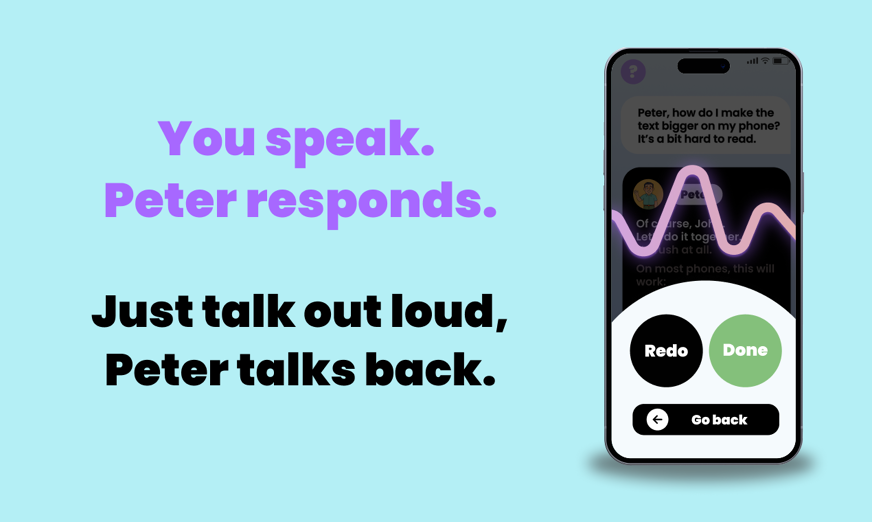
Rather than competing with mainstream AI tools on speed or technical depth, PeterAI focuses on interaction quality.
This means that explanations are broken down step by step, using simple language and a calm tone that doesn't assume technical familiarity.
The idea behind PeterAI comes from everyday observation: The founders noticed that older family members were curious about technology and even interested in AI, but felt increasingly excluded by fast-moving digital systems.
So PeterAI was created to adapt AI to people, not the other way around.
Who is PeterAI for?
PeterAI is designed for older adults who want to use modern technology without feeling rushed or overwhelmed.
It may be especially helpful for people who:
- Prefer speaking over typing
- Feel unsure when apps or messages are unclear
- Want explanations that move at a comfortable pace
- Are curious about AI but hesitant to engage with complex interfaces
Because PeterAI can answer a wide range of everyday questions, its use goes beyond technical help.
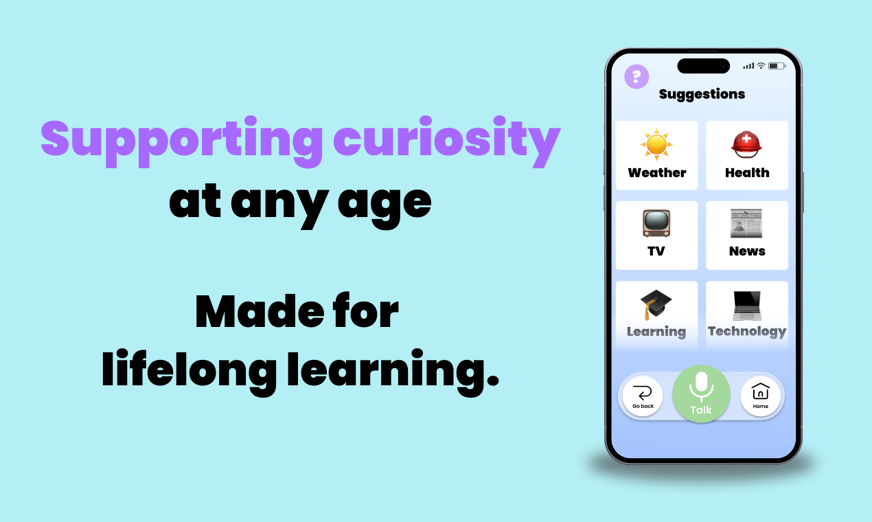
Users may ask about news, weather, local information, or general topics, alongside questions about things they see on their phone or computer.
For family members and caregivers, PeterAI can also act as a supportive layer that helps older adults feel more confident handling everyday digital moments independently.
How does PeterAI work?
Using PeterAI is straightforward. Users speak naturally, in their own words, and the assistant responds out loud with structured, easy-to-understand answers.
PeterAI can help with:
- Understanding digital prompts or messages
- Answering general questions
- Sharing news updates
- Providing weather information
- Explaining everyday topics that feel unclear
What stands out is the pacing.
Responses are not rushed, and information is presented in manageable pieces. This makes interactions feel conversational rather than transactional, which can be especially valuable later in the day when concentration tends to drop.
Daily email summaries: Reducing mental load
One of PeterAI’s most distinctive features is the daily email summary.
At the end of the day, users receive a simple email recap of what they discussed with PeterAI. This includes the questions they asked and the explanations they received.
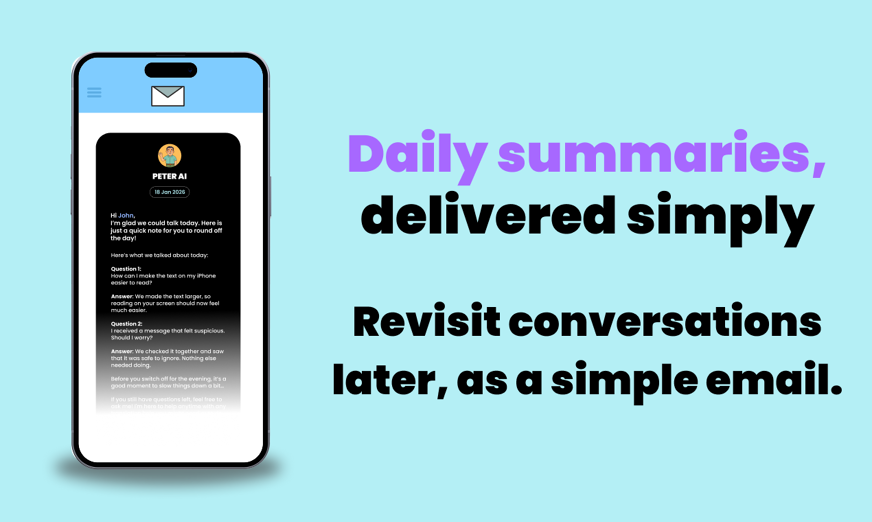
The goal is not productivity, but reassurance, and for many older adults, this reduces mental load.
There is no pressure to remember everything in the moment or to keep questions open in their head. If something feels relevant later, it’s already written down.
This feature fits naturally into an evening routine. It allows users to revisit information calmly, at their own pace, or to share it with a family member or caregiver if they wish.
Importantly, it supports independence rather than replacing it.
Ease of use and overall experience
Ease of use is one of PeterAI’s strongest points. Setup is simple, and the interface avoids unnecessary visual clutter.
During use, the experience feels noticeably calmer than many general-purpose AI assistants.
The tone is respectful and patient, without pushing users to act quickly or phrase questions correctly. This can make a real difference for people who associate technology with stress or hesitation.
The design philosophy is consistent throughout: reduce friction, remove assumptions, and make it safe to ask questions without fear of making mistakes.
Tone, trust, and design philosophy
PeterAI’s tone is intentionally supportive rather than efficient. The assistant does not try to impress with speed or technical language. Instead, it focuses on being understandable and reassuring.
This matters, particularly in moments when uncertainty could otherwise linger into the evening. By explaining things clearly and without urgency, PeterAI helps users feel informed and settled rather than rushed or unsure.
Just as importantly, PeterAI is clear about its role.
It does not position itself as a replacement for people or professional advice. It acts as a guide that helps users understand what they are seeing before they decide what to do.
What PeterAI is not
PeterAI is an informational and assistive tool.
It is NOT:
- A medical device
- A therapy or mental health service
- A diagnostic tool
- A replacement for caregivers or human support
By setting clear boundaries, PeterAI maintains realistic expectations and reinforces trust.
Verdict: Why PeterAI makes sense in an evening context
PeterAI offers a thoughtful example of how AI can be designed with real human rhythms in mind.
By combining a voice-based interface, calm explanations, and daily email summaries, it helps reduce everyday digital friction that often appears later in the day.
While PeterAI is not a sleep app, its approach aligns well with the idea of mental wind-down.
By helping users resolve uncertainties, understand information clearly, and avoid carrying unanswered questions into the evening, it can support a calmer end to the day.
For older adults who want a more accessible and reassuring way to interact with AI and digital information, PeterAI stands out as a carefully designed and promising solution.
Frequently asked questions
-
Is PeterAI easy to use for older adults with limited tech experience?
Yes, PeterAI is designed specifically for older users and requires no technical knowledge.
There are no complex menus or settings.
Users simply speak their question and listen to the response.
-
Do you need to type or read from a screen to use PeterAI?
PeterAI is largely voice-based, meaning users can ask questions out loud and receive spoken answers.
This makes it especially helpful for people who find typing, small text, or changing interfaces difficult.
-
Is PeterAI a replacement for caregivers or professional advice?
PeterAI is an informational and supportive tool, not a medical, therapeutic, or diagnostic service.
It is designed to help users understand information more clearly so they can make their own decisions or discuss things more confidently with family members or professionals.
-
References







Alternatively, message us directly via the Contact Us page.